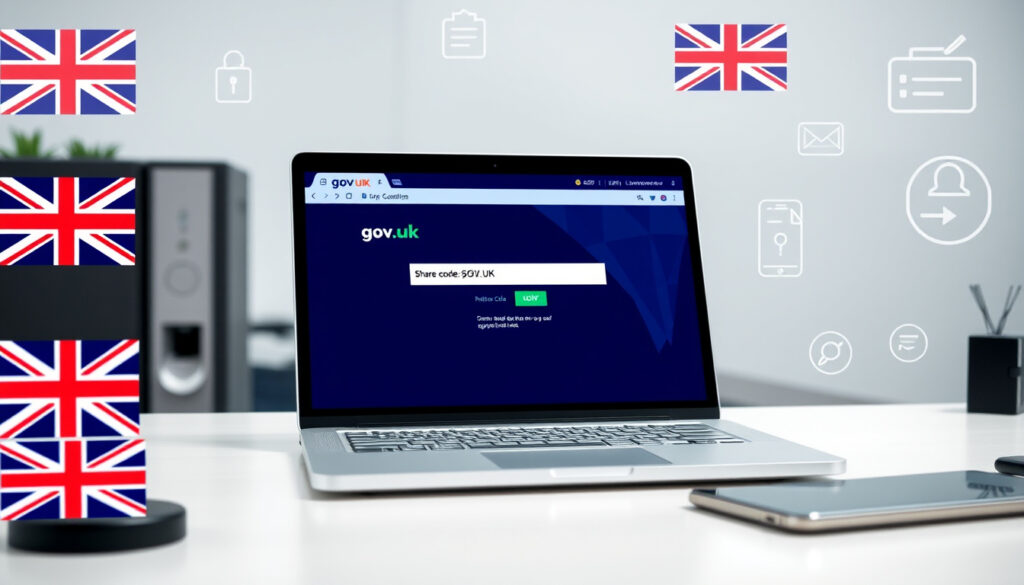
Get Share Code UK: GOV.UK Step-by-Step Guide
If you’ve ever been asked to “prove your right to work” in the UK, you know that moment of uncertainty — the physical BRP card you once relied on is gone, and you’re not sure what digital system has replaced it. A share code is the government’s answer: a short alphanumeric code you generate online that lets employers, landlords, and border officials check your immigration status directly. The code lasts for 90 days and can be reused during that window, which means one generated code covers multiple situations (GOV.UK). This guide walks you through exactly how to get one, where it works, and what to watch for if your immigration situation is a little more complicated.
Official portal: view-immigration-status.service.gov.uk/get-share-code · Validity: 90 days · Primary use: Right to work verification · Key provider: GOV.UK · Alternative access: eVisa online status
Quick snapshot
- Go to view-immigration-status.service.gov.uk (Citizens Rights Project)
- Sign in with UKVI account credentials (Citizens Rights Project)
- Code valid for 90 days and reusable (Citizens Rights Project)
- Right to work checks with employers (GOV.UK)
- Rental checks with landlords (GOV.UK)
- Border and travel documentation (GOV.UK)
- eVisa is replacing physical BRP cards
- ILR rules continue to apply
- EU Settlement Scheme status remains valid
Key facts about the share code system, including validity windows and alternative verification methods.
| Field | Value |
|---|---|
| Portal URL | view-immigration-status.service.gov.uk/get-share-code |
| Right to work page | www.gov.uk/prove-right-to-work/get-a-share-code-online |
| eVisa guide | www.gov.uk/evisa/view-evisa-get-share-code-prove-immigration-status |
| Validity period | 90 days |
| BRP usage after expiry | 18 months |
| Employer Checking Service validity | 6 months |
How do I get my UK share code?
Generating a share code takes most people under five minutes, provided you already have a UKVI account. If you do not, you can create one when you apply for a visa, through the UK Immigration ID Check app, or when applying to the EU Settlement Scheme. The portal to use is view-immigration-status.service.gov.uk.
Access the GOV.UK portal
- Navigate to view-immigration-status.service.gov.uk/get-share-code
- Sign in with the email and password linked to your UKVI account (GOV.UK)
- If you do not have a UKVI account, you will need to create one first via the GOV.UK portal
Enter your details
- Once signed in, you will be prompted to confirm your date of birth
- The system will display your current immigration status and any available share code options
- Select the purpose type: right to work, right to rent, or other verification
Generate and share
- Click “Generate share code” — a 9-character alphanumeric code will appear on screen
- You can copy it immediately or request it be sent via email or text
- The code is valid for 90 days from generation and can be reused during that window (Citizens Rights Project)
British and Irish citizens cannot get a share code — they have an automatic right to work and rent in the UK that requires no verification step (GOV.UK). For everyone else, the share code is the primary digital proof you will need to present to employers and landlords.
What are share codes and how do I use them?
A share code is a temporary digital credential that lets a third party — an employer, landlord, or government official — check your immigration status through the GOV.UK system without seeing your full immigration file. There is no physical document involved once you have an eVisa; the share code is your proof.
Definition from GOV.UK
An eVisa shows your identity and immigration status, including your rights to work, rent, and claim benefits in the UK (GOV.UK). A share code is the access key that lets someone else query that record. The system is designed so that the third party learns only whether you have the right they are checking — not your full immigration history.
Generate options
You have two main routes into the share code system. The first is through your UKVI account at view-immigration-status.service.gov.uk, as described above. The second is via the eVisa route: if you already have an eVisa, you can log in and generate a share code from the same portal. Both routes produce the same 9-character code.
Share with employer or landlord
When you give your share code to an employer, they enter it alongside your date of birth at the employer verification portal (GOV.UK). They will see a confirmation screen showing whether you have the right to work and any conditions attached. For landlords, the same process applies at the right to rent portal.
Where can I use a share code?
Share codes are accepted across three main contexts: employment verification, rental checks, and travel or border documentation. Each context has its own rules about what the employer or agent receives back from the system.
Right to work checks
When applying for a job, employers are required to check that you have the right to work in the UK. They cannot reject your application because you gave them an eligible immigration document instead of a share code (GOV.UK). However, using the share code online is the fastest route for both parties. Employers can use the share code to check the types of jobs you are allowed to do and how long you can work in the UK. For settled and pre-settled status holders, this check only needs to happen once at the start of employment — no follow-up checks are required (Citizens Rights Project).
Rentals and travel
Landlords and letting agents use the share code to verify your right to rent in England. If you have pre-settled status and use a share code, your landlord will not see the expiry date of your status in the confirmation they receive (Citizens Rights Project). For travel, the share code is less commonly demanded at border control, but it serves as supporting documentation if your immigration status is questioned.
eVisa integration
The eVisa system is progressively replacing physical BRP cards. If you have an eVisa, your immigration status lives entirely in the digital record — there is no physical document to lose or damage. The share code is the interface between that digital record and anyone who needs to verify your status. A biometric residence permit (BRP) can still be used to get a share code for up to 18 months after the expiry date printed on the card, which provides a transition window for those still waiting for eVisa access (GOV.UK).
Different share code types exist for different purposes — a right-to-work share code will not be accepted for a social housing application (Citizens Rights Project). Make sure you generate the correct type for your situation.
Can I check my UK immigration status online?
Yes — the entire point of the eVisa system is that your immigration status is always accessible online. You do not need to wait for a physical document, contact the Home Office by phone, or attend an appointment to find out where you stand.
Online status viewer
The online status viewer at view-immigration-status.service.gov.uk shows your current immigration status the same way the Home Office sees it. If your status has been decided — whether granted, refused, or still pending — it will appear there. You do not need a share code to check your own status; you only need your UKVI login credentials.
eVisa access
An eVisa is a digital record of your identity and immigration status, including your rights to work, rent, or claim benefits (GOV.UK). To access yours, sign in with the same details you used when you created your UKVI account — your passport, national identity card, or biometric residence card. Once in, you can generate a share code at any time.
Update pre-settled status
Pre-settled status holders can update their status to settled (also called indefinite leave to remain in some categories) once they have accumulated five years of continuous UK residence. The online system will reflect that update without requiring you to reapply by paper or attend a biometric appointment. If your status changes, the online viewer updates automatically.
You cannot generate a share code to check someone else’s immigration status — the system only allows you to view your own record. Employers and landlords must use their own portal access to verify your details.
Can I work in the UK without a share code?
Yes and no — you do not technically need a share code to work, but you do need to demonstrate your right to work by some means. A share code is the most convenient digital route, but it is not the only one.
Alternatives limited
You can prove your right to work by showing an eligible immigration document to your employer, rather than providing a share code. Your employer cannot reject your application because you provided an eligible immigration document instead of a share code (GOV.UK). This covers situations where you have a valid BRP, passport with valid vignette, or other Home Office-issued document. However, many employers now prefer the online share code route because it is quicker and produces a clearer confirmation result.
Employer requirements
Employers are legally required to conduct right to work checks before employing someone. They must use either the online service (via share code or Employer Checking Service) or check physical documents from a prescribed list. If an employer asks all employees to re-verify their right to work, you may be asked to prove your status even if you proved it before 1 July 2021 — that date is the cutoff after which re-checking is not routinely required for individual employees (Citizens Advice).
Right to work rules
If you cannot generate a share code — for example, because you are waiting for a decision on a pending application — your employer can verify your right to work using the Home Office Employer Checking Service. This service provides a written confirmation that is valid for 6 months, after which a new check must be requested (Citizens Rights Project). The certificate of application issued by the Home Office when you apply to the EU Settlement Scheme allows you to work while your application is pending, though since August 2023 these certificates are no longer issued automatically upon submission (Citizens Rights Project).
Confirmed facts
- GOV.UK generates share codes for EUSS and visa holders (GOV.UK)
- Share codes are used for right to work checks (Citizens Rights Project)
- A BRP can be used to generate a share code for 18 months after expiry (GOV.UK)
- A share code is valid for 90 days and can be reused during that window (Citizens Rights Project)
- CoA certificates are no longer issued automatically since August 2023 (Citizens Rights Project)
What remains unclear
- The exact scope of ILR rule changes planned for 2026 and beyond
- How non-digital status transitions will be handled for those without UKVI accounts
- Processing times for share code generation when backend systems experience delays
In their words
There is no physical proof of your immigration status. Instead, you must log into your digital profile (or eVisa) and generate a share code that your employer can use to verify your right to work.
— Citizens Rights Project (Immigration guidance provider)
You can get a share code online to prove your immigration status to employers, landlords, and when travelling.
— GOV.UK (UK Government)
For both settled and pre-settled status, the share code only needs to be checked once at the start of your employment. This verification is sufficient for permanent employment.
— Citizens Rights Project (Immigration guidance provider)
Related reading: UK Emergency Alerts Operator Tests · 2025 UK Bank Holidays
The GOV.UK portal simplifies generating your share code, while immigration share code guide provides extra context for visa holders proving status.
Frequently asked questions
How do I get a share code from my eVisa?
Log in to your UKVI account at view-immigration-status.service.gov.uk using the credentials you set up when creating the account — your passport, national identity card, or biometric residence card. Once signed in, select the option to generate a share code and choose the purpose type. The code appears immediately on screen and is valid for 90 days.
How do I get a settled status share code?
Whether you have settled or pre-settled status, the process is identical: sign in to view-immigration-status.service.gov.uk, navigate to the share code section, and generate a code. There is no separate share code type for settled status holders — the system automatically reflects your status type.
Is ILR still 5 years old?
Indefinite leave to remain (ILR) is typically earned after five years of continuous lawful residence in the UK under a qualifying immigration route. ILR remains a valid status; the settled status granted under the EU Settlement Scheme is the equivalent route for EU citizens and their family members post-Brexit.
What if I lose my share code?
Because share codes are valid for 90 days, there is a good chance your previous code is still active. Sign in to your UKVI account and check the existing share code before generating a new one. If no valid code remains, simply generate a fresh one — the process takes under two minutes.
More related posts
 Door Handles in Ireland: Types, Finishes & Where to Buy
 Monaco Grand Prix 2025 – Dates, Results, Schedule and Tickets
 O Positive Blood Type – Facts, Prevalence, Donation Needs
 Forest Green Rovers F.C. – Players, Stadium, Tickets and Vegan Guide
 DWP 2025 Cost of Living Payment – No Payments Scheduled
 What Does PPE Stand For – Safety, Oxford, Accounting Meanings
 Audrey Hepburn: Nationality, Death, Children, and Faith
 Blue Eye Samurai Sea on 2: Relea e Date and New