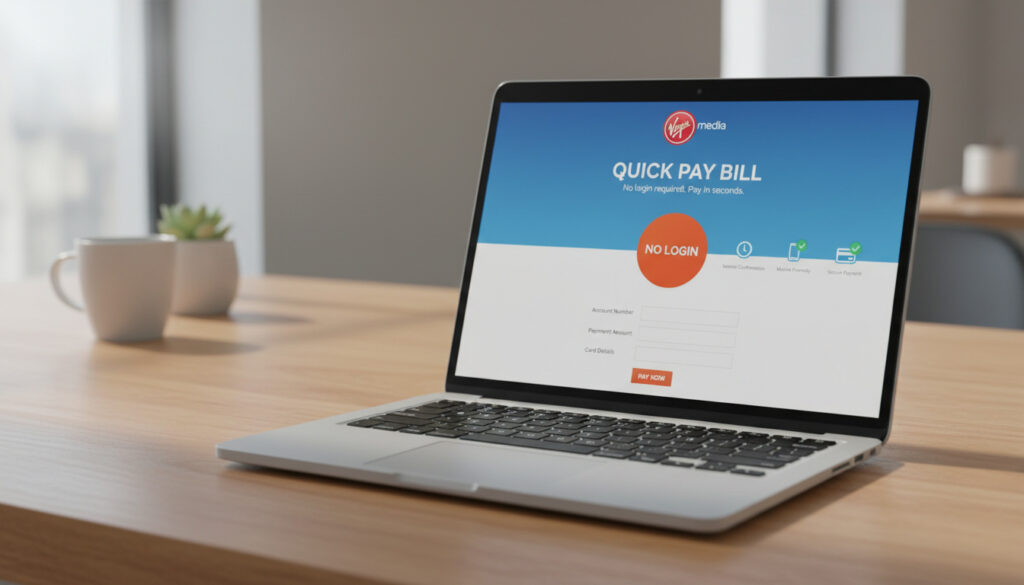
Virgin Media Pay Bill – Quick No-Login Guide
Virgin Media provides several pathways to settle your monthly bill, ranging from immediate online transactions that require no account access to automated Direct Debit arrangements. Whether you have forgotten your login credentials or prefer handling payments over the phone, understanding which methods remain active—and which have been discontinued—ensures your account stays current without unnecessary friction.
The telecommunications provider maintains a Quick Pay system specifically designed for customers who lack login details or need to make one-off payments swiftly. This option sits alongside traditional account-based payment methods, though recent policy changes have removed some historically popular channels.
Understanding the specific requirements for each payment type prevents delays. Some methods demand only your postcode and surname, while others require detailed reference numbers found on physical or electronic bills.
How to Pay Your Virgin Media Bill Online Without Signing In
The most straightforward option for immediate payment involves the Quick Pay portal, accessible without My Virgin Media account credentials. This system accommodates customers who have forgotten passwords or manage accounts on behalf of others.
Online Quick Pay
No login required. Uses postcode and surname or payment reference.
Phone Payment
Limited availability since July 2023. Specific numbers may work with account details.
My Virgin Media Login
Full account access for bills, history, and Direct Debit setup.
Direct Debit Setup
Automated monthly payments arranged through logged-in account.
Key Insights for Paying Your Virgin Media Bill
- Quick Pay processes payments immediately using either your postcode and last name or your payment reference plus area reference.
- Standard telephone payment lines closed in July 2023, though some users report limited success calling specific numbers.
- Direct Debit setup requires full account login and bank account details.
- Payment references appear on the back of paper bills or within eBill emails.
- Business accounts follow similar processes to residential, though specific business portals may apply.
- The Make a payment link provides direct access to Quick Pay options.
Virgin Media Bill Payment Methods Compared
| Method | Requirements | Processing Speed | Availability |
|---|---|---|---|
| Quick Pay (No Login) | Postcode + surname OR payment reference + area reference | Immediate | 24/7 online |
| Account Login Payment | My Virgin Media username and password | Immediate | 24/7 online |
| Direct Debit | Bank account name, number, sort code; login required to setup | Monthly automated | Ongoing once configured |
| Phone Payment | Account number, area reference, card details | Minutes | Discontinued July 2023 |
| Business Quick Pay | Likely postcode, reference, or account details | Immediate | Business hours may apply |
| Bank Transfer | Available via logged-in account | 1-3 working days | During online banking hours |
How to Pay Your Virgin Media Bill by Phone
Telephone-based bill settlement underwent significant changes in mid-2023. Understanding the current landscape prevents frustration when attempting to pay through traditional call centre channels.
The Discontinuation of Standard Phone Payments
Virgin Media discontinued phone payments through standard customer service lines as of July 2023. This streamlining effort redirected customers toward online self-service options, removing the ability to pay through general billing helplines that previously accepted debit and credit card details.
Alternative Contact Numbers
Despite the official discontinuation, some customers report success calling 0800 064 3777, specifically selecting the billing section. These attempts require your account number and area reference number alongside card details. Success appears inconsistent, with some users encountering automated verification loops or email confirmation requirements that complicate the process. No confirmed 0345 payment line operates specifically for bill settlement according to current documentation.
Virgin Media officially ended phone payment services in July 2023. While some community members report successfully using 0800 064 3777, this method lacks guaranteed availability and may require extensive verification steps including account numbers and area references.
Using Quick Pay with Virgin Media Login
For customers seeking comprehensive account management alongside payment capabilities, the My Virgin Media portal offers detailed billing history and automated payment setup.
Accessing Your My Virgin Media Account
Navigate to the My Virgin Media login page and enter your credentials. Once authenticated, select “My Bills” or “View bill” from the dashboard. This interface displays current balances, historical usage, and detailed breakdowns of charges. From here, you can initiate immediate card payments or bank transfers without re-entering personal details.
Setting Up Direct Debit and Recurring Payments
The logged-in environment facilitates Direct Debit establishment, requiring your bank account name, number, and sort code. You select a specific monthly payment date, after which funds transfer automatically. This method eliminates the need for manual intervention each billing cycle and ensures continuous service without risk of missed payments.
Your payment reference appears on the back of paper bills or within the top-right corner of eBill emails. The area reference number comprises two digits found in the same locations. Keeping these numbers accessible expedites both Quick Pay and phone payment attempts.
How to View Your Virgin Media Bill Online
Accessing billing documentation does not necessarily require payment. The Quick Pay portal allows viewing current balances using your postcode and surname or reference details before committing to payment.
Viewing Bills Without Payment
Enter your details at the Quick Pay portal to preview outstanding amounts. Full bill breakdowns, including itemised charges, require My Virgin Media account access.
Understanding Your Bill Details
Virgin Media bills include package costs, equipment charges, and any additional services. The area reference number and payment reference appear prominently on the first page, while the reverse side contains payment instructions and reference details for telephone or online payments.
Electronic billing provides immediate email delivery of your bill documents, containing all reference numbers in PDF format. This ensures you always have payment details available even without physical mail.
Changes to Virgin Media Payment Methods Over Time
Virgin Media’s payment infrastructure has evolved significantly, with recent changes prioritising digital self-service over traditional telephone support.
- : Virgin Media discontinued standard phone payment lines, removing the ability to pay bills through general customer service telephone routes.
- : The Quick Pay system received enhanced functionality, allowing postcode-based access without account registration.
- : Expansion of eBilling options reduced reliance on paper bills, though reference numbers remain accessible in digital formats.
- : Integration of O2 and Virgin Media accounts began, though billing systems remained separate for existing Virgin Media customers.
Payment Certainty: Established Facts and Unclear Areas
Certain payment parameters remain definitively established, while others lack complete clarity within public documentation.
Confirmed Information
- Quick Pay operates without login using postcode/surname or reference/area code combinations.
- Phone payments ended officially in July 2023 via official announcements.
- Direct Debit requires full My Virgin Media account access to configure.
- Payment references appear consistently on paper bills and eBill emails.
Unclear or Variable Information
- Whether 0800 064 3777 remains consistently available for all account types.
- Specific requirements for business account Quick Pay versus residential.
- Existence of dedicated 0345 payment lines previously referenced in older documentation.
- Processing times for bank transfers initiated through the platform.
Understanding Virgin Media Billing Context
Virgin Media operates on monthly billing cycles, with charges typically appearing for the upcoming service period rather than the previous month. This prepaid structure means timely payment remains essential to avoid service interruption.
The community forums indicate recurring challenges with email verification loops when attempting account recovery, reinforcing the value of the no-login Quick Pay option for customers experiencing access issues.
Official Sources and Customer Experiences
Virgin Media’s official communications emphasize digital self-service, while customer reports provide additional context regarding practical implementation.
We’re streamlining how you pay your bill to make it easier and more convenient for you. This means we’re moving away from accepting payments over the phone and encouraging customers to use our online services.
Virgin Media Community Blog
Trying to pay by phone resulted in automated systems requesting email verification that never arrived, despite multiple attempts. Quick Pay online worked immediately with just my postcode and surname.
Customer Report, Virgin Media Community Forum
Next Steps After Making Your Payment
Upon completing payment through any method, retain confirmation numbers provided by the system. For Quick Pay transactions, immediate confirmation screens display reference codes. Customers using the We’re streamlining how you pay your bill guidance should consider establishing Direct Debit to eliminate future payment logistics.
Frequently Asked Questions About Virgin Media Bill Payment
What is Virgin Media payment line 0345?
No specific 0345 payment line has been confirmed in current Virgin Media documentation. Official phone payments discontinued in July 2023. Some customers report using 0800 064 3777, though success varies.
Do I need a postcode to pay Virgin Media bill?
Yes, for Quick Pay without login. Enter your postcode and the account holder’s last name. Alternatively, use your payment reference and area reference number from your bill.
How to pay Virgin Media business bill online?
Business accounts typically use the same Quick Pay portal as residential customers, requiring postcode and reference details. Some business customers may access dedicated business portals through standard login procedures.
Why were phone payments discontinued?
Virgin Media streamlined operations in July 2023 to prioritize online self-service. This reduces operating costs and directs customers toward automated systems that process payments immediately without queue times.
What if I don’t have my payment reference?
Use the Quick Pay option requiring only your postcode and surname. Alternatively, check your email for eBill PDFs or log into your bank account to find previous Virgin Media transactions containing reference details.
Can I pay someone else’s Virgin Media bill?
Yes. The Quick Pay system only requires the account holder’s postcode and surname, or the payment reference and area code. No password verification prevents third-party payments for family members or tenants.
How long does Quick Pay take to process?
Quick Pay processes immediately for card transactions. Bank transfers may take 1-3 working days to clear. Confirmation displays instantly on screen upon successful card payment completion.
More related posts
 Lucy Pargeter: Split, Engagement, Children & Emmerdale News
 Support Mental Health: A Guide to Coping Techniques and Free Services in Ireland
 iPhone 13 Pro Max Case – Best Protection and Style Picks
 Rainbow Six Siege X: Rebrand and Free Access Details
 Forest Green Rovers F.C. – Players, Stadium, Tickets and Vegan Guide
 Prince Andrew New Home Sandringham – Wood Farm Cottage Details
 Soccer Aid Line Up – 2026 England vs World XI Squads
 Marilyn Monroe Death: Uncovering the Truth